App to Protect Your Children Online
Anúncios
Protecting your children on the internet is an increasingly important responsibility for modern parents.Exposure to inappropriate content, contacts with strangers and excessive screen time pose real risks that you can reduce with appropriate tools.There are specialized applications that help you monitor and control the digital access of your children effectively and practically.
You don’t have to be a tech expert to use these solutions. Most child protection apps work intuitively, allowing you to set time limits, block inappropriate content, and track your kids’ online activity without completely invading their privacy.The balance between protection and trust is critical to a healthy approach to parental control.
How Child Protection Apps Work
Modern child protection applications operate through a system of smart filters and continuous monitoring.You install the application on your child’s device, set up the rules and restrictions in the parental control panel, and then the system automatically works to apply these standards. This approach gives you peace of mind, as you do not need to be constantly checking what your child does online.
Content filter technology analyzes websites and apps in real time, blocking those that contain inappropriate material for minors.You can categorize age restrictions, allowing the level of protection to increase or decrease as your child grows.In addition, most of these platforms send periodic reports on your child’s activity, giving you a clear insight into their digital habits.
Key Features You Should Look For
When choosing a protection app, you should check that it offers screen time control, one of the most essential features. This feature allows you to establish specific times when your children can use the device, helping to avoid screen addiction and ensuring that they have time for offline activities and adequate sleep. You can also block use during critical periods, such as school or rest times.
Location monitoring is another valuable feature that you can take advantage of to maintain the physical safety of your children. This functionality shows in real time where your child is, useful for emergency situations or to confirm that he arrived safely at school or home.
You should also look for advanced content filters that block websites with adult content, extreme violence, or material that promotes harmful behavior. These filters often work with automatic categorization and customizable block lists, allowing you to adjust restrictions according to what you consider appropriate for each child.The ability to create different profiles for each child is also important, as needs vary by age.
Different Types of Applications Available
You will find apps that focus primarily on monitoring social networks and messages, helping you protect your children from cyberbullying and online predators. These tools track conversations, alert you to suspicious contacts and provide detailed reports on your children’s digital interactions.
There are also more comprehensive solutions that combine multiple functionalities into a single platform, offering multifaceted protection.You get everything from content filters and time tracking to location monitoring and app tracking, all manageable from one central dashboard.These complete platforms are ideal if you are looking for an integrated solution and do not want to deal with multiple different apps.
Setting the Proper Protection for Each Age
For young children, between 3 and 7 years, you should focus on fairly restrictive controls. In this age group, the ideal is to limit the total use of screen time, block most online content and restrict access only to pre-approved educational applications. You can also disable the possibility of downloads and purchases, avoiding accidental expenses and access to inappropriate content.
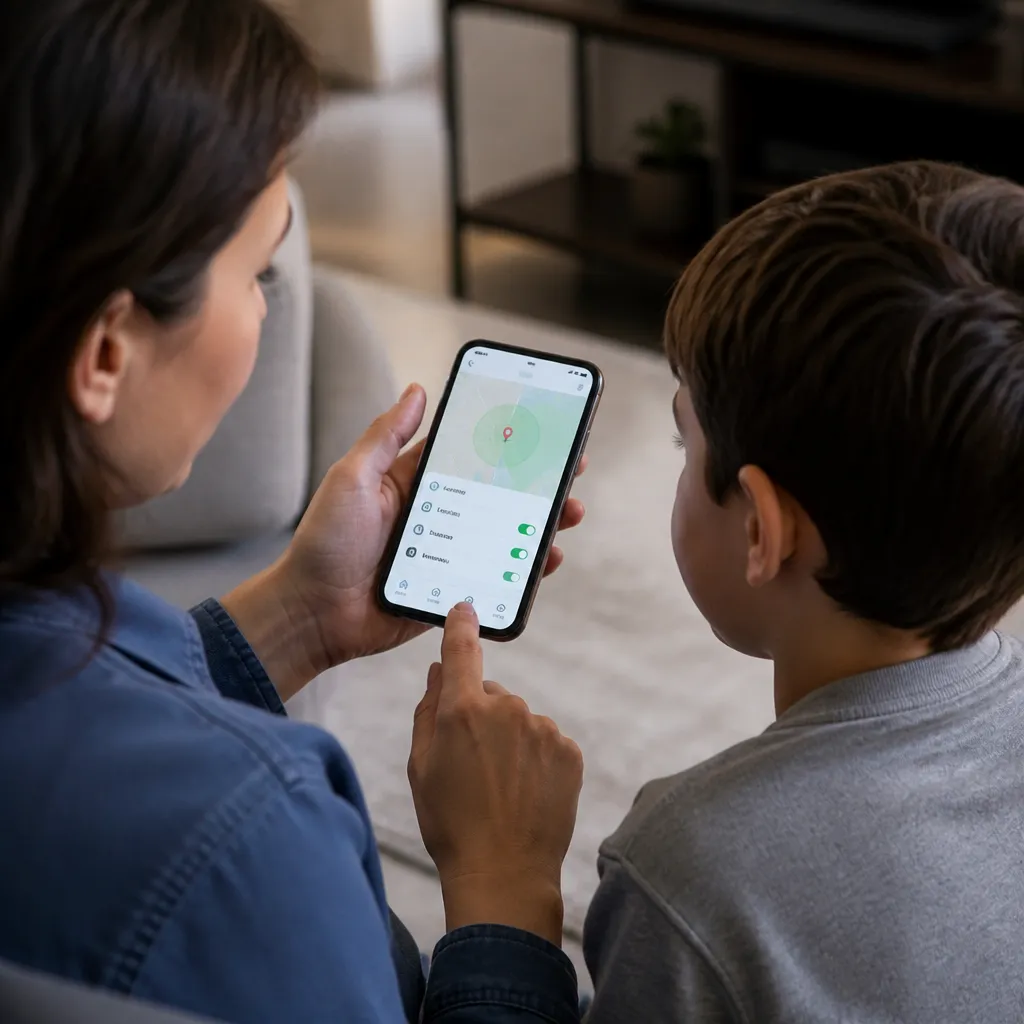
Children between 8 and 12 years old may receive slightly wider access, but you should still keep robust content filters and active monitoring. At this age, they can start using limited social networks and watching supervised videos, so you need to be aware of these activities. Establish clear device usage schedules and hold regular conversations about online safety with your children.
Teens from 13 years old need a different approach, with more freedom but also more responsibility. You can relax some restrictions, but you should still keep location monitoring, suspicious content alerts and activity reports. This age group benefits more from education and open dialogue about digital security than from extreme restrictions, as they have greater capacity for understanding and discernment.
Frequent Questions About Child Protection Online
You may wonder if using these apps hurts trust with your kids. The answer is that it all depends on how you implement the tool and how you communicate this with them. You can explain that the app is not about distrust, but about keeping them safe in a potentially dangerous digital environment.Many digital education experts recommend transparency, letting your kids know that you are monitoring their online activities.
Another common question is whether protection apps really work or whether kids can get around them easily. Most modern apps are quite robust and difficult to disable or avoid, especially if you use a managed device and keep strong passwords that your kids don’t know.
You may also question whether these apps consume too much battery or slow down your child’s device. Most modern solutions are optimized to have minimal impact on performance, running in the background without causing noticeable slowness.
Best Practices for Implementing Protection
You should combine the use of protective applications with active digital education.Talk regularly with your children about online security, teach about data privacy and discuss potential dangers is just as important as technical monitoring.This balanced approach ensures that your children understand why restrictions exist and develop healthy internet usage habits naturally.
Set clear and consistent rules on device usage, establishing specific times and screen-free areas such as family meals and bedrooms. You can use the app to enforce these rules automatically, creating a framework that your kids understand and respect.Revisiting these rules periodically with your kids shows that you are interested in their digital well-being and willing to adjust the restrictions as needed.
Stay up to date on the platforms and trends your children use, actively participating in their digital life when possible. You do not need to be on the same social networks, but you should know which apps your child regularly uses and understand their purposes. This makes your protection settings more effective and your online safety conversations more relevant and contextualized.